

For many businesses, the answer is not great. Calls go to a generic voicemail box. Or they ring endlessly. Or they get dropped entirely. None of those outcomes build confidence with a caller.
Most customers will not call back if their first attempt goes nowhere. That first impression matters. Your phone system plays a bigger role in shaping it than most business owners realize.
The good news is that modern VoIP phone systems include tools specifically built for this problem. Call routing, voicemail management, and after-hours features work together. When set up correctly, they keep your business accessible around the clock.
Call Routing — Getting the Right Caller to the Right Place
Call routing is the process of directing inbound calls based on rules you define. It sounds simple. In practice, it can be one of the most powerful features in your phone system.
Here is how it typically works. A caller dials your main number. The system checks the rules you have set. Then it routes the call based on factors like time of day, the caller’s selection, or the department they need.
Auto Attendants
An auto attendant greets every caller with a recorded message. It then presents options, such as press one for sales, press two for support. The caller selects an option, and the system routes them accordingly.
This removes the need for a live receptionist to answer every single call. It also creates a consistent, professional experience for anyone reaching your business. For small businesses in Ocean County and Monmouth County, it levels the playing field with larger competitors.
Ring Groups
A ring group sends one incoming call to multiple phones at the same time. Every phone in that group rings until someone picks up. This is useful for teams where any member can assist the caller.
It reduces the chance of a missed call significantly. If your sales team has four people, all four phones ring. The first available person takes the call.
Call Queues
Call queues handle situations where call volume exceeds available staff. Instead of hearing a busy signal, callers are placed in line. They hear hold music or a recorded message. They wait until someone is free.
This is especially valuable for businesses with peak hours. Medical offices, service companies, and retail operations see the benefit quickly. No caller is turned away because all lines are busy.
You can learn more about how calls get directed in our post on how extension dialing works in a modern VoIP system.
Voicemail Features That Actually Keep You Informed
Standard voicemail has a real limitation. You have to remember to check it. Then you have to dial in, enter a code, and listen through each message one by one.
Modern VoIP voicemail works differently. It is built around the way people actually communicate today.
Voicemail to Email
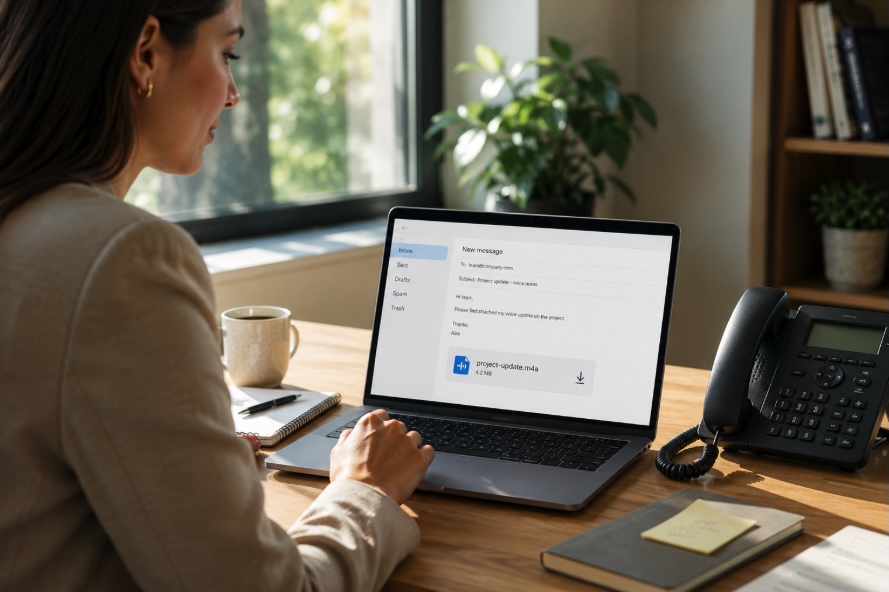
With voicemail to email, every message left on your business line is delivered to your inbox as an audio file. You receive an email notification the moment a message comes in. You can listen from your phone, laptop, or desktop — wherever you happen to be.
This removes the friction from checking messages. It also creates a record. You can save, forward, or refer back to any voicemail without dialing in.
Voicemail Transcription
Some systems go a step further by converting the audio message into text. The transcription lands in your inbox alongside the audio file. You can read the message in seconds, even in a meeting where listening is not an option.
For busy owners and managers, this feature alone saves meaningful time each day.
Personalized Voicemail Greetings by Extension
Each extension can carry its own voicemail greeting. Your sales line sounds different from your billing department. A staff member on vacation can record a specific message explaining their absence. The caller always hears something relevant rather than a generic prompt.
After-Hours Features — Your Business Does Not Have to Go Dark at 5 PM
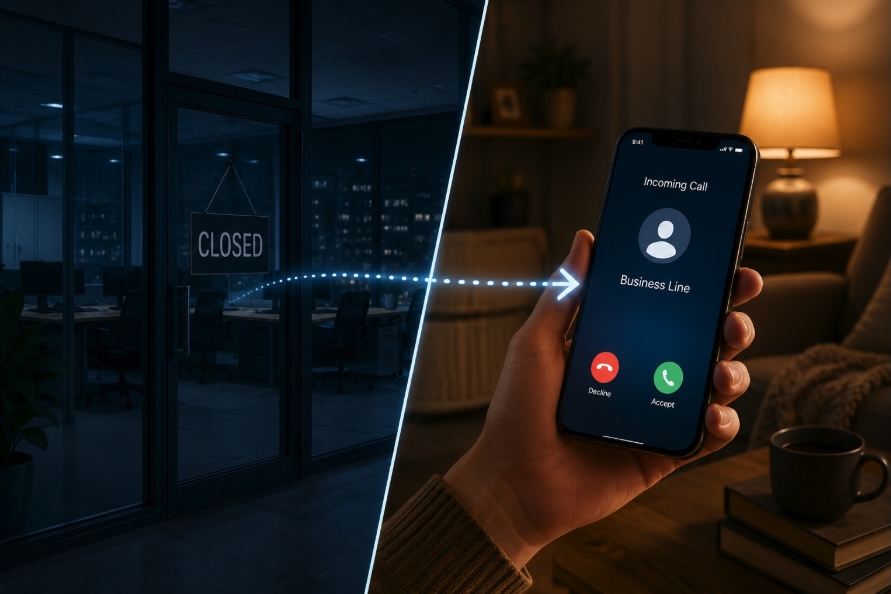
After-hours call handling is one area where businesses frequently leave opportunity on the table. A caller reaches out at 6 PM. Your office is closed. If your system is not configured properly, that caller has a bad experience.
A well-configured VoIP system handles this automatically.
Scheduled Routing Rules
You define your business hours inside the system. During those hours, calls follow your standard routing rules. Outside of those hours, a different set of rules kicks in automatically. There is no manual process. No one has to remember to change anything.
After hours, calls might go to a general voicemail box. They might be forwarded to an on-call mobile number. They might reach an auto attendant with a message explaining your hours and asking the caller to leave a message. You decide.
Holiday and Custom Schedules
Beyond daily hours, you can build schedules around holidays and special closures. A medical practice that closes for a staff training day can set that in advance. Callers are handled appropriately without anyone scrambling to adjust the system manually.
Emergency Call Forwarding
For businesses where after-hours calls sometimes carry urgency — a property management company, a healthcare provider, a contractor — emergency call forwarding routes specific calls to a live number. You set the rules. Your system follows them consistently.
Why This Matters for New Jersey Businesses Specifically
Many small and mid-sized businesses in this region are still running on older phone equipment. That equipment was not built with these features in mind. Bolting them on is difficult. Often it is not possible at all.
Switching to a cloud-based VoIP system brings all of these tools into one place. Setup is handled by a local team that knows your business and your goals. Training is included. Support is available when you need it.
These are not luxury features reserved for large companies. They are standard in modern VoIP systems, and they are accessible to businesses of every size.
Ready to See What Your Phone System Can Do?
If calls are slipping through the cracks, or your after-hours experience is not what it should be, the fix is closer than you think. Take a look at the VoIP solutions available from AmeriTel to see what a modern system includes.
When you are ready to talk through what makes sense for your business, reach out to the AmeriTel team for a free consultation. There are no commitments. Just a straightforward conversation about your communication needs and what options fit your situation.