
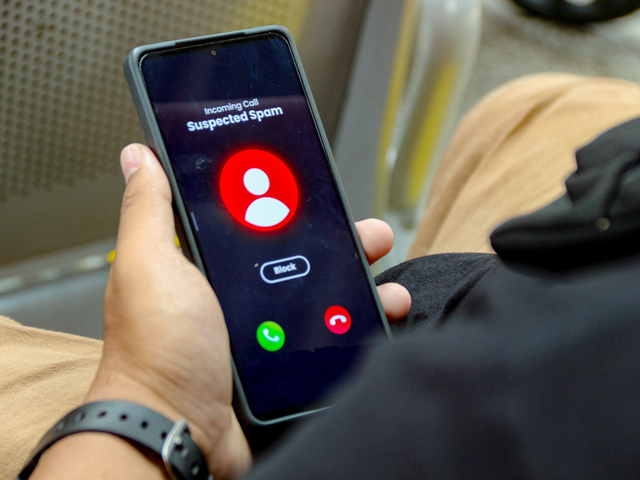
If your staff is spending part of the workday picking up robocalls, telemarketing pitches, and anonymous calls that go nowhere, that time adds up fast. For small and mid-sized businesses across Ocean County, Monmouth County, and the rest of New Jersey, unwanted calls are more than an annoyance — they pull employees away from customers, interrupt workflow, and in some cases, make it harder to identify which inbound calls actually matter.
The good news is that a modern VoIP phone system comes equipped with several built-in features designed specifically to handle this problem. Here is a practical look at what those tools are and how they work.
Why Spam Calls Are a Bigger Problem for Businesses Than You Might Think
Most people associate spam calls with personal cell phones, but businesses deal with a significant volume of unsolicited phone calls too. Illegal robocalls, telemarketing calls that violate the Telemarketing Sales Rule, and scam calls targeting businesses are all common. Phone carriers and government agencies including the Federal Trade Commission have taken steps to address the issue, but automated calls and suspicious caller ID spoofing continue to reach business phone lines every day.
For a business, every unanswered call feels like a potential missed customer. That instinct is exactly what scammers count on. A well-configured VoIP system takes the guesswork out of the equation.
VoIP Features That Filter Out Unwanted Calls
Auto Attendant: Your First Line of Defense
One of the most effective call blocking strategies available through a VoIP system is the auto attendant. Rather than sending every inbound call straight to a live person, the auto attendant answers first and prompts the caller to select an option — press 1 for existing customers, press 2 for new inquiries, and so on.
Automated spam systems and illegal robocalls cannot navigate a menu. They either drop the call or get stuck, which means they never reach your staff. Legitimate callers move through the prompt without issue. It is a simple setup that filters out a large portion of junk calls without any manual effort from your team.
Call Blocking and Blacklisting Specific Numbers
VoIP technology gives businesses the ability to block calls from specific numbers or area codes directly through their phone system. When a known spam number tries to reach your line, the system blocks it before it rings through. AmeriTel’s IP systems include this blocking feature, allowing businesses to build a list of numbers that never get through again.
This is especially useful for businesses that receive repeat calls from the same scam numbers or persistent telemarketers. Rather than relying on phone companies or third-party call blocking services to catch every bad actor, you have direct control over which numbers can reach your phone lines.
Voicemail as a Screening Tool
Legitimate callers leave messages. Scam calls and robocalls typically do not. Configuring your VoIP system so that unknown or suspicious numbers are routed to voicemail rather than ringing through to staff is a practical, low-effort way to screen calls in real time.
Voicemail-to-email features available on AmeriTel’s VoIP systems make it easy to review messages quickly, so important calls from real customers are never missed even when they go to voicemail first.
How the AmeriTel Mobile App Helps Identify Callers
For employees who take business calls on their cell phones, the AmeriTel mobile app connects directly to your VoIP phone system. When a call comes in through the app, the caller ID information from the office system travels with it — so the person receiving the call sees the same caller data they would see at their desk.
One practical tip: add the app to your contacts list. When you do, known callers will show up with their name and sometimes their number, making it much easier to distinguish legitimate business calls from unknown or suspicious numbers before you pick up.
The app also gives users the ability to respond to unknown callers with a quick message — something like “can’t talk now, can I call you back?” — so that real callers get a response while scam calls are handled without taking up any of your time. Legitimate callers will respond or leave a voicemail. Most scam calls will not.
The National Do Not Call Registry and What It Actually Does
Registering your business numbers with the National Do Not Call registry is a step worth taking, but it is important to understand its limits. The registry restricts telemarketing sales calls from legitimate companies, but illegal robocalls and scam calls ignore it entirely. Relying solely on list registration is not a complete solution.
A properly configured VoIP system fills the gaps that the registry leaves open, giving your business a more complete set of call blocking strategies that work regardless of the source.
Local VoIP Support for New Jersey Businesses
AmeriTel Telephone Systems has been serving businesses in Brick, Ocean County, Monmouth County, and across New Jersey since 1982. Every system we install comes with free technical support, onsite setup, and training so your team knows exactly how to use the tools available to them.